



There’s something oddly satisfying about plugging in a tiny USB gadget and suddenly wondering how you ever worked without it. We all have those drawers full of cables and dongles we bought on impulse, but every once in a while, you stumble across a USB accessory that genuinely changes your workflow. These aren’t the flashy RGB gadgets or overhyped tech toys — they’re the quiet, reliable tools that solve real problems you didn’t even know you had.
I’ve tested countless USB accessories over the years, and the ones I keep coming back to are usually the simplest. They’re the gadgets that live permanently on my desk, solving daily frustrations without demanding attention. For this reason, I’m sharing five USB gadgets that I find surprisingly useful — tools that might seem niche at first but quickly become indispensable once you start using them.
UGreen USB to USB C Adapter Combo
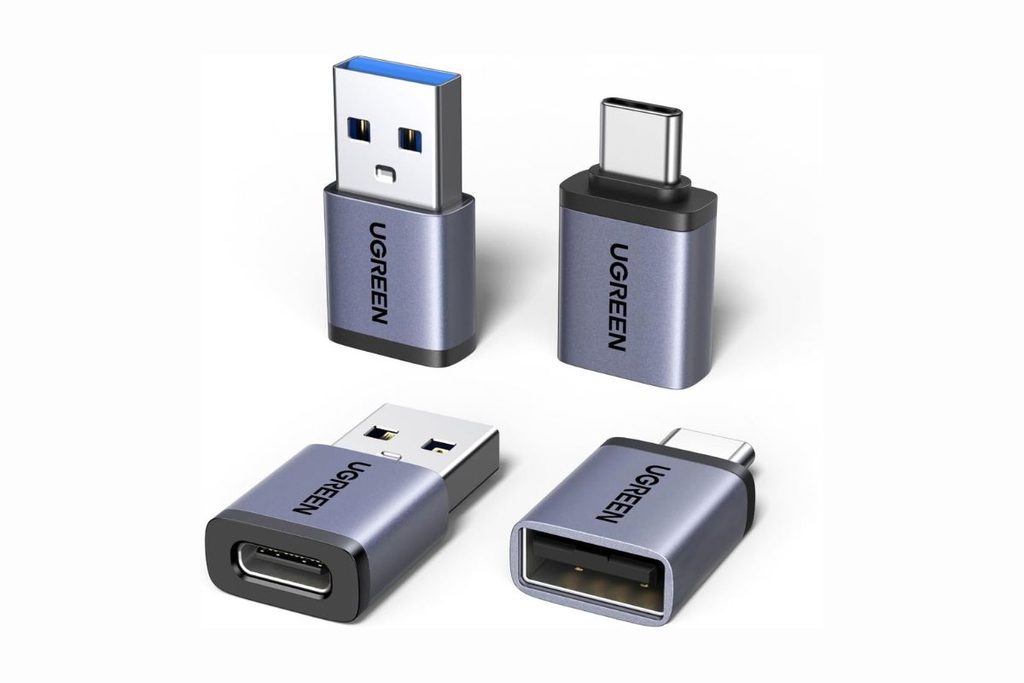
If you’re still figuring out how to connect your older accessories to a modern laptop, Ugreen’s adapter combo ($8) solves that problem elegantly. Modern laptops, especially MacBooks, typically come with only USB-C ports, which creates an immediate compatibility headache if you have USB-A devices lying around. The UGreen combo includes two adapters: one lets you connect older USB-A accessories to your USB-C laptop, while the other does the reverse, allowing you to plug modern USB-C devices into older computers that lack USB-C ports.
I keep this pair in my laptop bag at all times because you never know when you’ll need to bridge that gap between old and new. Whether it’s connecting a flash drive to a new MacBook or plugging a USB-C hub into an older desktop, these adapters will handle it. It’s one of those cheap purchases you make once and forget about — until the day you desperately need it and realize it’s the most useful gadget you own.
Orico USB 3.0 Hub Clamp
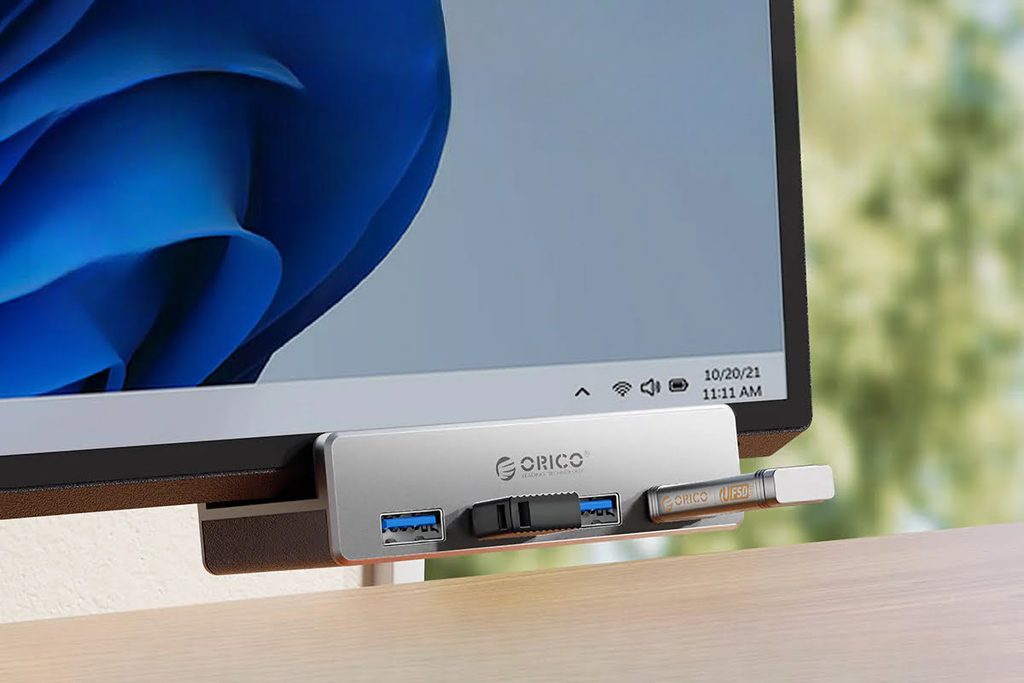
If you’re like me and still rely on having as many USB-A ports as possible, you know the frustration of running out of slots on your computer. The Orico USB 3.0 Hub Clamp solves this by adding four extra USB 3.0 ports right where you need them — clamped to the edge of your monitor or desk. Instead of fumbling behind your PC or laptop every time you need to plug something in, you get instant access to four ports within easy reach.
What makes this hub particularly clever is its clamp design. It opens between 10mm and 33mm, so it attaches securely to most monitors and desk edges. The aluminum construction feels sturdy, and the blue LED indicator isn’t overly bright or distracting. I’ve found it invaluable for keeping my workspace tidy while ensuring I never have to hunt for an available port again. At around $20, it’s a small investment that pays off every single time you reach for a USB device without thinking twice.
Elgato Stream Deck Mini
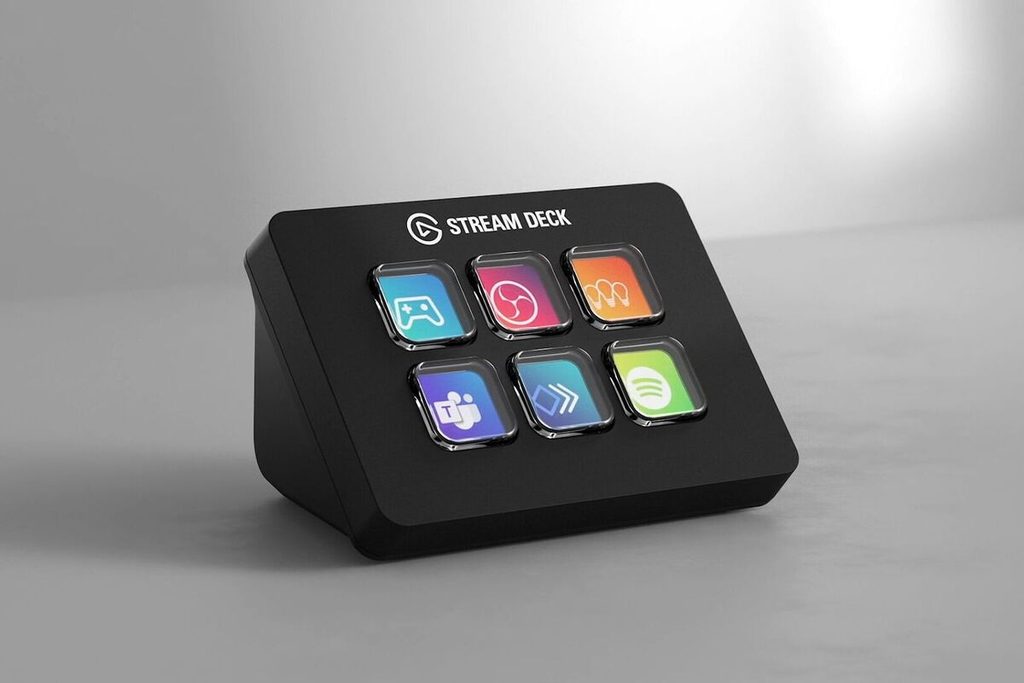
Don’t let the streaming label fool you — the Elgato Stream Deck Mini is a productivity powerhouse that extends far beyond content creation. This compact device features six fully programmable LCD keys that let you execute complex actions with a single button press. While streamers use it to manage scenes and go live instantly, I’ve found it equally transformative as a writer. Instead of juggling complicated keyboard shortcuts or hunting through menus with a mouse, I have my most-used research tools, browser tabs, and writing macros just a button away.
Imagine cutting your research time in half because everything you need is literally one tap away. The LCD keys display custom icons for each function, making it intuitive to navigate even when you’ve programmed dozens of actions across multiple folders. The software takes some initial setup — there are no default configurations — but once you’ve customized it to your workflow, the time savings are substantial. It’s a $50 investment that streamlines any repetitive computer task you perform daily.
Elgato Stream Deck Pedal
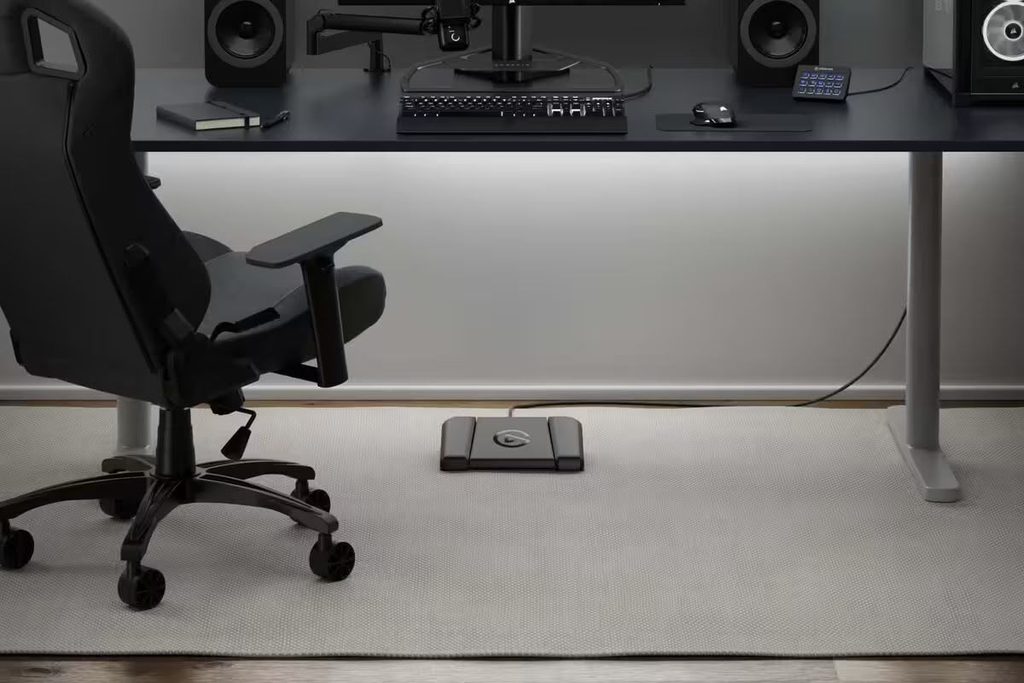
Following the same philosophy as the Stream Deck Mini, the Stream Deck Pedal brings hands-free macro control to your feet. This device features three programmable pedals that you activate by stepping on them, freeing up your hands for other tasks. While it’s marketed toward content creators and streamers, I see enormous potential for everyday productivity across various professions. As a writer, I’m planning to get one to use alongside my Stream Deck Mini, giving me three extra macros without occupying any desk space.
Think about tasks that require your hands but could benefit from foot control — scrolling through documents, muting your mic during calls, or triggering frequently used commands while your hands are busy typing or handling equipment. The pedal connects via USB and integrates with the same software ecosystem as the Stream Deck, so you can create multi-action commands that would otherwise require several keystrokes. At $80, it’s pricier than most USB gadgets, but the unique hands-free functionality opens up productivity possibilities you simply can’t achieve with traditional input devices.
Yadillo Big Enter Key
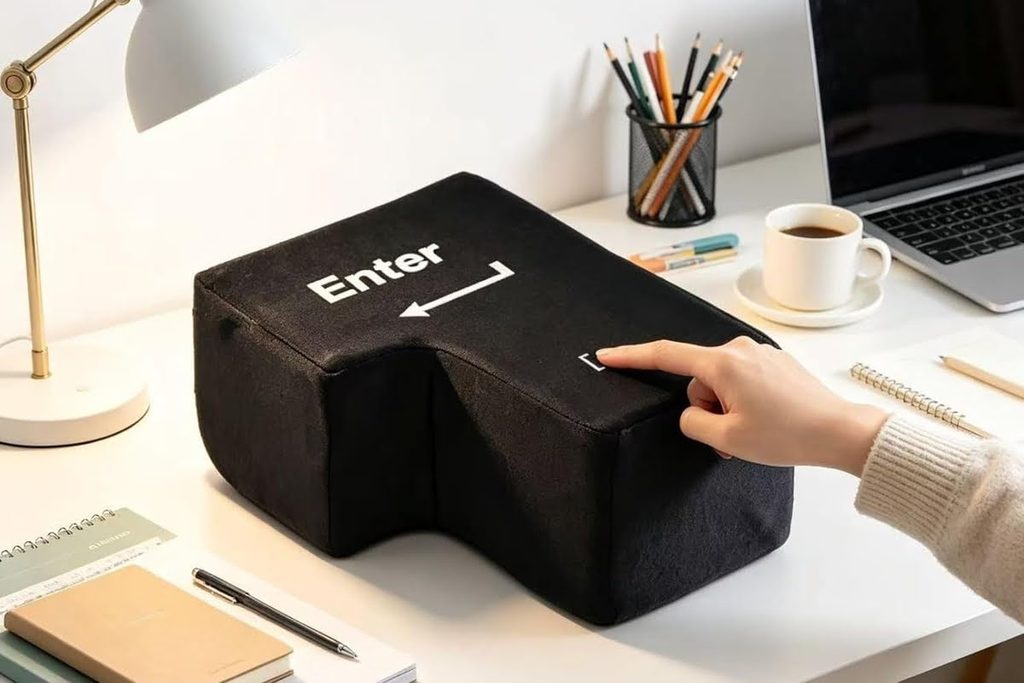
On paper, a giant pillow shaped like an Enter key might seem like a gimmick — and honestly, I thought the same before I understood its appeal. But as someone who gets frustrated with work sometimes, having a physical outlet to relieve stress at your desk is surprisingly therapeutic. This isn’t just a decorative pillow; it’s an excellent punching bag when you need to vent work frustration without damaging anything or disturbing colleagues. I can imagine drafting an angry email, then using this as the literal “send key” you can hit with all your strength before hitting the actual send button.
The USB connection is more novelty than necessity, but the real value here is psychological. Sometimes you just need to physically release tension, and having something at your desk designed for that purpose is oddly liberating. It’s soft enough to be satisfying to hit but substantial enough to feel like you’re actually doing something. It’s an inexpensive ($16) stress-relief tool that doubles as a conversation starter — and if it prevents even one impulsive email send, it’s already paid for itself.
How I picked these USB gadgets
The main goal behind this list was simple: to help you find hidden gems you may have forgone or overlooked entirely. These aren’t the obvious USB gadgets that dominate bestseller lists — they’re the tools that solve specific, everyday problems in ways you might not expect until you actually use them.
I selected each item based on personal experience and genuine utility. Every gadget here has earned a permanent spot on my desk or in my bag because it consistently makes my workflow smoother, faster, or just less frustrating. My hope is that at least one of these picks solves a problem you didn’t even realize you had.